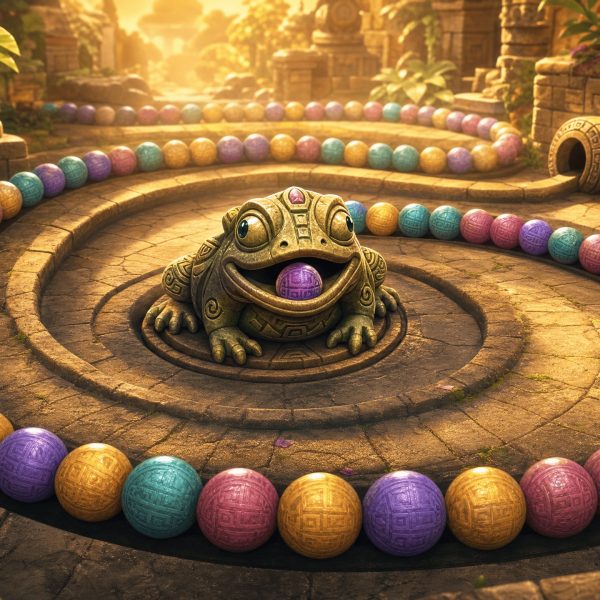
You want to play Zuma without downloading anything — no installer, no setup, no shady “Zuma Deluxe full version” download sites. Good news: you don’t need to. Every classic Zuma game and most modern variants run in your browser today, in 2026. This guide explains exactly how, in three minutes.
Why You Don’t Need to Download Zuma Anymore
For most of its life, Zuma was a downloadable game. PopCap released the original Zuma Deluxe in 2003 as a Windows installer, and the 2009 Zuma’s Revenge followed the same path. Back then, “play Zuma” meant “find the installer, run it, hope it works on your version of Windows.”
That changed twice. First with Flash, which let you play Zuma in a browser tab — until Flash was retired at the end of 2020. Then with HTML5, which is what you use now. Modern browsers run Zuma natively, no plugin, no permission prompt, no antivirus dance. The catch? You needed someone to actually port the games to HTML5. Many studios did. The result is a healthy library of free, browser-based Zuma games — including faithful remakes of the PopCap originals.
So when you search for “Zuma Deluxe game free download” today, you’re usually doing extra work for nothing. The full version is already running in your browser, somewhere.
How to Play Zuma in Your Browser (Step-by-Step)
The whole process takes under a minute.
- Open a modern browser. Chrome, Edge, Safari, Firefox, or Brave — anything updated within the last 12 months works.
- Visit a Zuma game page. For example, Zuma Deluxe Original on this site, or browse the full catalog.
- Wait for the game frame to load. Most games load in 5–15 seconds depending on your connection. You’ll see a “Play” button or the game’s title screen.
- Click play and start. Use your mouse to aim, click to shoot. That’s it. No account, no email, no patches.
- Optional: go fullscreen. Click the fullscreen icon on the game frame for a bigger view. Press Esc to exit.
If you’ve ever watched a YouTube video, you already know how to play Zuma in a browser. The mechanics are identical — page loads, you press play, you start.
What You Actually Need
- A modern browser. Chrome 110+, Edge 110+, Safari 16+, Firefox 110+. Chances are yours is fine.
- An internet connection. Once the game loads, most run offline-friendly — but you need internet to load them initially.
- A mouse or trackpad. Touchscreen works for most marble shooters, but precision is better with a real pointer.
- Sound (optional). The Aztec-temple soundtrack is half the experience. Bring headphones.
Notice what’s missing: no admin rights, no installer, no antivirus exception, no Steam account, no patches. Zero downloads is the literal truth.
Best No-Download Zuma Games to Play Right Now
If you don’t know where to start, these five are the most-played free Zuma games on the web in 2026.
- Zuma Deluxe Original — the 2003 PopCap classic. Aztec temples, stone frog, the soundtrack you remember. Full version, no download, no signup.
- Zuma’s Revenge — the 2009 sequel with tiki bosses and side-scrolling levels. More variety, more challenge.
- Zuma Bubble Shooter — bubble-pop mechanics built on the Zuma loop. Different feel, same satisfaction.
- Maya Zuma — Aztec-themed marble shooter with new level design. Good if Deluxe felt too short.
- Marble Puzzle Blast — modern marble shooter with bright visuals and quick sessions. Good for short breaks.
For more options, see our list of 10 best Zuma games to play in 2026.
Common Problems and Quick Fixes
If a game doesn’t work the first time, it’s almost always one of four things.
The game shows a blank screen
JavaScript is disabled or blocked by an extension. Disable any aggressive ad-blocker for the page, or whitelist the site. Reload after.
Game runs slowly or freezes
Close other browser tabs. Marble shooters are light, but a 60-tab Chrome session eats memory anyway. Restart the browser if needed.
No sound
Modern browsers block autoplay audio until you interact with the page. Click anywhere on the game frame first, then sound usually starts.
Game is too small or doesn’t fit your screen
Use the fullscreen button on the game frame. If the button is hidden, press F11 in your browser for browser-fullscreen.
Why No-Download Is Actually Better
Browser play isn’t a compromise. For most people, it’s the better option.
- Safer. No installer means no chance of bundled toolbars, miners, or malware disguised as “Zuma Deluxe Free Full Version.” A surprising amount of “free Zuma download” results lead to junk.
- Always current. The version you played yesterday is the version you play today. No “patch waiting” or “update required” prompts.
- Cross-device. Same game on your laptop, phone, tablet, work computer, and grandparents’ iPad. No installs anywhere.
- No storage. Zuma Deluxe takes up zero disk space when it lives in a browser tab.
- Easy to share. Send someone a link, they click it, they play. No “do you have admin rights?” conversations.
The only real downside: you need internet to start the game. After that, most marble shooters keep running even if your connection drops mid-level.
Frequently Asked Questions
Is Zuma actually free if I play in a browser?
Yes. Browser-based Zuma games are free with no time limits, no trial mode, and no signup required. Some sites show ads to fund the hosting, which is normal.
Can I play the full version of Zuma Deluxe without paying?
Yes. The full Zuma Deluxe game runs in your browser, with all levels, all power-ups, and all temple stages. It’s not a demo or limited version.
Will browser Zuma work on my phone?
Most modern Zuma games are touch-friendly and run well on phones. The smaller screen makes precision aiming harder, but the games are fully playable. Tablets are ideal.
Is it legal to play Zuma in a browser without downloading?
Yes. Browser-hosted versions are either licensed by their publishers or fan-made adaptations of the original mechanics. Either way, you’re not pirating anything by playing.
Why do search results still show “Zuma Deluxe download” links?
Old SEO. Many of those pages have been online since 2008 and still rank for legacy queries. Most don’t even host real downloads anymore — they redirect to ads. Browser play replaced all of that.
Does my computer need to be powerful to play Zuma online?
No. Zuma is one of the lightest browser games you can run. A ten-year-old laptop handles it without issue.
Final Thoughts
Playing Zuma without downloading is the default in 2026, not a workaround. The classic PopCap experience — frog, marbles, Aztec temple, that one music loop you can hum from memory — runs in any modern browser, free, with no signup. The only thing you need to know is which game to load first.
If you want the original feel, start with Zuma Deluxe Original. If you want more variety, try Zuma’s Revenge or browse the classic Zuma category.
Related Reading
- How to Play Zuma — Complete Beginner’s Guide — if you’re new to the genre, read this first.
- 10 Best Zuma Games to Play Online in 2026 — curated picks ranked by experience level.
- The Complete History of Zuma Games — from 2003 to today.
- 21 Zuma Tips & Tricks That Actually Work — once you start playing, get better fast.